
Looking for creative ways to showcase content in your blog posts? Our custom card components make it easy to present information in visually appealing, organized ways. We offer nine distinct card styles: Notebook Cards for a classic paper aesthetic, Fancy Cards for vibrant displays, Simple Cards for clean, professional article layouts, Dogear Cards for bookmarked highlights, Hover Cards for image galleries, Book Cards for interactive flip animations, Circle Cards for circular profile pictures and icons, Diamond Cards for elegant diagonal-cornered image displays, and Sign Cards for bold 3D announcements and warnings. Let’s explore all nine!
📒 Notebook Cards
What are Notebook Cards?
Notebook Cards are React components that mimic the appearance of a physical notebook page, complete with:
- Lined paper effect - Horizontal blue lines for that classic notebook look
- Vertical margin line - Red left margin just like real notebooks
- Binding holes - Circular cutouts on the left side
- Tape effect - Decorative tape elements at top and bottom
- Text-only mode - Optional image prop for pure note-taking experience
- Automatic dark mode - Seamlessly adapts to your theme
- Responsive grid layout - Works perfectly on all screen sizes
📦 Importing Notebook Cards
import { NotebookCard, NotebookCardContainer } from '@/react/Cards';or with relative path:
import { NotebookCard, NotebookCardContainer } from '../../react/Cards';Important: Always use the
.mdxfile extension (not.md) when working with React components in your blog posts.
🎯 Notebook Card Usage
Multiple Cards in a Grid
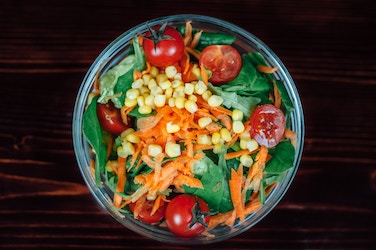
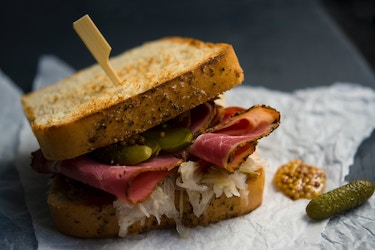
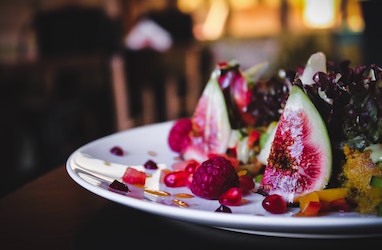
Code Example:
<NotebookCardContainer> <NotebookCard image="your-image-url.jpg" title="Card Title" imageAlt="Description of the image" > <p>Your content here...</p> </NotebookCard></NotebookCardContainer>Single Card Example
Text-Only Card (No Image)
You can skip the image prop to create a text-only notebook card - perfect when you don’t have an image or want a pure note-taking experience:
Text-Only Code Example:
<NotebookCard title="Your Notes"> <p>Your text content here - no image needed!</p></NotebookCard>Design Credit: Notebook design inspired by Codepen1
✨ Fancy Cards
What are Fancy Cards?
Fancy Cards bring vibrant colors to your content displays:
- Scale effect - Card grows slightly on hover for emphasis
- Vibrant colors - Purple, aqua, and violet color scheme
- Special styling - Built-in support for upcharge and note elements
- Drop cap - First letter of first paragraph is enlarged
- Scrollable content - Custom scrollbar for longer content
- Dark mode support - Automatically adapts colors
- Keyboard accessible - Full tab navigation support
📦 Importing Fancy Cards
import { FancyCard, FancyCardContainer } from '@/react/Cards';or with relative path:
import { FancyCard, FancyCardContainer } from '../../react/Cards';🎯 Fancy Card Usage
Code Example:
<FancyCardContainer> <FancyCard image="image-url.jpg" title="Card Title • $9" > <p>Regular text with <strong>highlighted text in aqua</strong>.</p> <p className="upcharge">Additional cost information.</p> <span className="note">Special seasonal note.</span> </FancyCard></FancyCardContainer>Special Classes for Fancy Cards
Upcharge Class - Highlight pricing information:
<p className="upcharge">Add extra toppings for $2 more.</p>Note Class - Display important seasonal or special notes:
<span className="note">Limited Time Only!</span>Strong Tags - Automatically styled in aqua color:
<strong>This text will be aqua colored</strong>Single Card Example
Design Credit: Fancy card design inspired by Codepen2
📄 Simple Cards
What are Simple Cards?
Simple Cards provide a clean, professional article-style layout perfect for content displays:
- Clean design - Professional article-style layout
- Smooth animations - Image zoom and icon slide effects on hover
- Read more link - Optional call-to-action with animated arrow icon
- Responsive grid - Automatically adjusts to available space
- Dark mode support - Seamless theme switching
- Keyboard accessible - Full tab navigation support
- Customizable - Optional read more URL and alt text
📦 Importing Simple Cards
import { SimpleCard, SimpleCardContainer } from '@/react/Cards';or with relative path:
import { SimpleCard, SimpleCardContainer } from '../../react/Cards';🎯 Simple Card Usage
Multiple Cards in a Grid
Code Example:
<SimpleCardContainer> <SimpleCard image="image-url.jpg" title="Card Title" readMoreUrl="/your-link" imageAlt="Description" > <p>Your content here...</p> </SimpleCard></SimpleCardContainer>Single Card Example
Without Read More Button
You can omit the readMoreUrl prop to display cards without the “Read more” link:
<SimpleCard image="image.jpg" title="No Link Card"> <p>This card has no read more button.</p></SimpleCard>Design Credit: Simple card design inspired by Codepen3
🐶 Dogear Cards
What are Dogear Cards?
Dogear Cards are text-focused React components that mimic the appearance of a bookmarked page with distinctive folded corners:
- Folded corner effects - Top-right and bottom-left dogears (like bookmarks)
- 8 predefined color schemes - Teal, blue, purple, orange, green, red, pink, and gray
- Custom colors - Use any hex color you want
- Text-only design - Perfect for notes, quotes, and highlights
- Background matching - Dogears adapt to your page background
- Automatic dark mode - Seamlessly adapts to your theme
- Responsive grid layout - Works perfectly on all screen sizes
📦 Importing Dogear Cards
import { DogearCard, DogearCardContainer } from '@/react/Cards';or with relative path:
import { DogearCard, DogearCardContainer } from '../../react/Cards';Important: Always set the
bgColorprop to match your page/container background color for the dogear effect to work properly!
🎨 Predefined Color Schemes
| Color | Light Mode | Dark Mode | Best For |
|---|---|---|---|
teal | #008080 | #2d5f5d | Default, professional content |
blue | #3498db | #2c5f7f | Informative, educational material |
purple | #9b59b6 | #6c4a7f | Creative, premium features |
orange | #e67e22 | #a85f1a | Warnings, attention-grabbing |
green | #27ae60 | #1e7e4a | Success, positive feedback |
red | #e74c3c | #a83830 | Alerts, critical information |
pink | #e91e63 | #a81650 | Fun, playful, creative |
gray | #95a5a6 | #5a6266 | Neutral, general content |
🎯 Dogear Card Usage
All Color Schemes
Teal
Default teal color scheme - professional and trustworthy.
Blue
Blue scheme - great for informative content.
Purple
Purple scheme - elegant and creative.
Orange
Orange scheme - perfect for warnings.
Green
Green scheme - ideal for success messages.
Red
Red scheme - grabs attention for alerts.
Pink
Pink scheme - fun and playful.
Gray
Gray scheme - neutral professional look.
Code Example:
<div style={{ backgroundColor: '#f5f5f5', padding: '2rem' }}> <DogearCardContainer> <DogearCard title="Card Title" color="teal" bgColor="#f5f5f5"> <p>Your content here...</p> </DogearCard> </DogearCardContainer></div>Custom Color Example
You can use any custom hex color instead of predefined schemes:
Custom Brand Color
Use any custom hex color to match your brand! This example uses #ff6b6b with a cornsilk background.
Another Custom
Another custom color example with #4ecdc4 - the possibilities are endless!
Code Example:
<div style={{ backgroundColor: '#fff8dc', padding: '2rem' }}> <DogearCardContainer> <DogearCard title="Custom Color" customColor="#ff6b6b" bgColor="#fff8dc"> <p>Use any custom hex color to match your brand!</p> </DogearCard> </DogearCardContainer></div>Single Card Example
Tip: Keep
DogearCardContainereven for single cards to prevent them from stretching to the edge.
Standalone Card
You can also use cards individually within a container for a centered display that doesn’t stretch to full width.
Design Credit: Dogear card design inspired by Codepen4
🎴 Hover Cards
What are Hover Cards?
Hover Cards are interactive React components that reveal detailed descriptions on hover, featuring:
- Image with overlay - Beautiful images that show descriptions on hover
- Smooth animations - Elegant slide-up effect with fade transitions
- Scrollable content - Long descriptions are scrollable with custom scrollbar
- Lift effect - Cards elevate with enhanced shadow on hover
- Automatic dark mode - Seamlessly adapts to your theme
- Responsive grid layout - Auto-fit grid that works on all screen sizes
📦 Importing Hover Cards
import { HoverCard, HoverCardContainer } from '@/react/Cards';or with relative path:
import { HoverCard, HoverCardContainer } from '../../react/Cards';Important: Always use the
.mdxfile extension (not.md) when working with React components in your blog posts.
Hydration Required: Add
client:loaddirective to eachHoverCardcomponent for interactivity.
🎯 Hover Card Usage
Single Card (Centered)

Code Example:
<HoverCardContainer> <HoverCard client:load image="your-image-url.jpg" title="Card Title" imageAlt="Description of the image" > <p>Your content here...</p> </HoverCard></HoverCardContainer>Multiple Cards in a Grid


Code Example:
<HoverCardContainer> <HoverCard client:load image="seal.jpg" title="Seal" imageAlt="Seal in the ocean" > <p>Description about seals...</p> </HoverCard>
<HoverCard client:load image="lion.jpg" title="Lion" imageAlt="Lion portrait"13 collapsed lines
> <p>Description about lions...</p> </HoverCard>
<HoverCard client:load image="hawk.jpg" title="Hawk" imageAlt="Hawk in flight" > <p>Description about hawks...</p> </HoverCard></HoverCardContainer>🎨 Hover Card Features
- Hover to Reveal: Descriptions slide up smoothly when you hover over the card
- Dark Mode Support: Automatically adjusts colors for light and dark themes
- Custom Scrollbar: If content is long, you get a beautifully styled scrollbar
- Lift Animation: Cards elevate with enhanced shadow on hover
- Responsive Grid: Auto-fit layout adapts to screen size
- Centered Single Card: When using just one card, it’s automatically centered
⚙️ Props
image- URL of the image to display (required)title- Title displayed on the card header (required)children- Content to display on hover (can include paragraphs, lists, etc.) (required)imageAlt- Alt text for the image (defaults to title if not provided)client:load- Astro directive to enable interactivity (required)
Hover Cards Perfect For:
- Wildlife & Nature - Animal descriptions and facts
- Product Showcases - Detailed product information
- Portfolio Items - Project descriptions and details
- Team Members - Bio and background information
- Image Galleries - Photo descriptions and context
- Educational Content - Learning materials with images
Design Credit: Hover card design inspired by Codepen5
📖 Book Cards
What are Book Cards?
Book Cards are interactive flip cards with expandable content, featuring:
- Flip animation - Card flips to reveal gradient background on hover
- Expandable width - Card doubles in width to show inside page
- Remix Icons - Beautiful icon library integration
- 4 color themes - City, Ski, Beach, Camping gradients
- Automatic dark mode - Seamlessly adapts to your theme
📦 Importing Book Cards
import { BookCard, BookCardContainer } from '@/react/Cards';or with relative path:
import { BookCard, BookCardContainer } from '../../react/Cards';Important: Always use the
.mdxfile extension (not.md) when working with React components in your blog posts.
Hydration Required: Add
client:loaddirective to eachBookCardcomponent for interactivity.
Remix Icons: Ensure Remix Icon CSS is loaded in your project.
🎯 Book Card Usage
Multiple Cards in a Grid
Single book Card
Code Example:
<BookCardContainer> <BookCard client:load icon="ri-map-pin-line" title="City break" subtitle="Urban adventure" heading="For urban lovers" color="city" > <p>Description here...</p> </BookCard>
<BookCard client:load icon="ri-snowflake-line"8 collapsed lines
title="Ski trip" subtitle="Mountain escape" heading="For snow lovers" color="ski" > <p>Content here...</p> </BookCard></BookCardContainer>🎨 Book Card Features
- Flip Animation: Card rotates 180° to show gradient background
- Expandable Design: Card width doubles (15rem → 30rem) to reveal content
- Remix Icons: Use any icon from remixicon.com
- 4 Color Themes: City (pink), Ski (cyan), Beach (coral), Camping (green)
- Dark Mode Support: Automatically adjusts colors
⚙️ Props
icon- Remix Icon class name (e.g.,ri-map-pin-line) - defaults tori-book-open-linetitle- Title displayed on the card (required)subtitle- Subtitle text below title (optional)heading- Heading for inside page (required)children- Inside page content (required)color- Color scheme:city,ski,beach,camping(defaults tocity)client:load- Astro directive to enable interactivity (required)
Book Cards Perfect For:
- Services & Offerings - Feature different service packages
- Travel Destinations - Showcase vacation options
- Product Categories - Display product lines
- Event Types - Highlight different event packages
- Course Offerings - Present educational programs
- Membership Tiers - Show subscription levels
Design Credit: Book card design inspired by Codepen - Maza designDev6
⭕ Circle Cards
What are Circle Cards?
Circle Cards are React components that display images or text in perfect circular shapes, ideal for:
- Circular cropping - Images automatically cut into circular/elliptical shapes
- Profile pictures - Display avatars and team member photos
- Icon galleries - Showcase technology stacks or tool icons
- Flexible sizing - Fixed dimensions (width/height) or free-size mode for natural dimensions
- Text circles - Display text in colored circular backgrounds
- Custom colors - Configurable background colors for text-only circles
- Flexbox layout - Responsive grid arrangement with automatic wrapping
- Two display modes - Controlled size for perfect circles or free size for natural image dimensions
📦 Importing Circle Cards
import { CircleCard, CircleCardContainer } from '@/react/Cards';or with relative path:
import { CircleCard, CircleCardContainer } from '../../react/Cards';🎯 Circle Card Usage
Default Image Circles (200x200px)
Free Size Mode (Natural Image Dimensions)
When you want images to display at their full natural size without any dimension restrictions, use isFreeSize={true}:
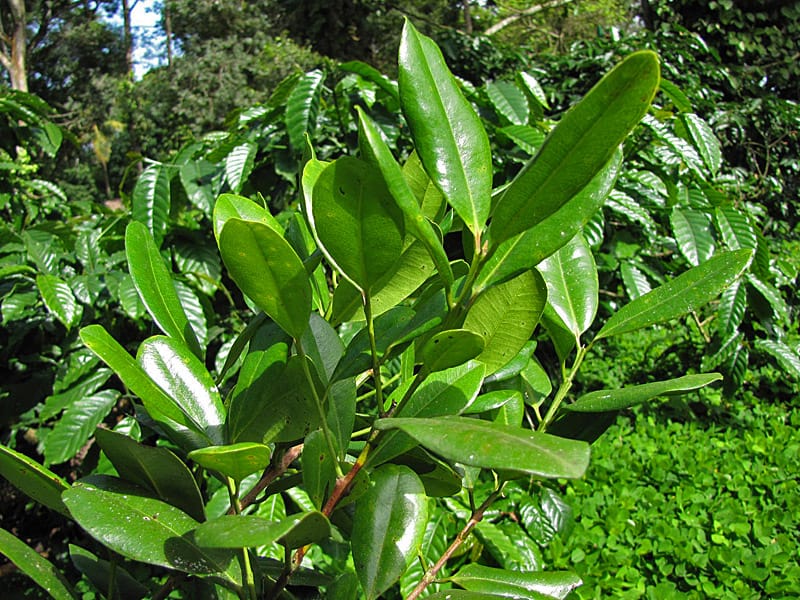
Free Size Mode: Image displays at its natural dimensions with circular/elliptical crop. Perfect when you don’t want to manually set dimensions for each image.
Custom Fixed Size (Perfect Circles)
For perfect circles with specific dimensions, use the width and height props:
Fixed Size Mode: Creates perfect circles by specifying exact width and height. Best for uniform circular grids.
Text Circles
Code Examples:
// Default 200x200px circles<CircleCardContainer> <CircleCard image="/team/member1.jpg" imageAlt="John Doe" /> <CircleCard image="/team/member2.jpg" imageAlt="Jane Smith" /></CircleCardContainer>
// Free size mode - images display at natural dimensions<CircleCardContainer> <CircleCard42 collapsed lines
image="/photos/photo1.jpg" imageAlt="Photo 1" isFreeSize={true} /> <CircleCard image="/photos/photo2.jpg" imageAlt="Photo 2" isFreeSize={true} /></CircleCardContainer>
// Custom fixed size - perfect circles<CircleCardContainer> <CircleCard image="/profiles/user1.jpg" imageAlt="User 1" width="300px" height="300px" /> <CircleCard image="/profiles/user2.jpg" imageAlt="User 2" width="300px" height="300px" /></CircleCardContainer>
// Percentage-based size (responsive)<CircleCardContainer> <CircleCard image="/avatar.jpg" imageAlt="Avatar" size="20%" /></CircleCardContainer>
// Text circles with custom colors<CircleCardContainer> <CircleCard title="HTML" bgColor="#e34c26" /> <CircleCard title="CSS" bgColor="#264de4" /> <CircleCard title="JS" bgColor="#f0db4f" /></CircleCardContainer>🎨 Circle Card Features
- Perfect Circles: Images cropped to circular shape using
border-radius: 50% - Two Size Modes:
- Fixed Mode (default): Use
width/heightorsizeprops for controlled dimensions - Free Mode: Use
isFreeSize={true}for natural image dimensions
- Fixed Mode (default): Use
- Text Mode: Display text in circular colored backgrounds when no image provided
- Custom Colors: Set any background color for text circles via
bgColorprop - Flexbox Grid: Container automatically wraps and spaces circles
- Dark Mode: Text circles adapt to theme automatically
⚙️ Props
| Prop | Type | Required | Default | Description |
|---|---|---|---|---|
image | string | No | - | Image URL or path (for image mode) |
imageAlt | string | No | title or ‘Circle image’ | Alt text for accessibility |
title | string | No | - | Text to display in circle (for text mode, when no image) |
size | string | No | 'auto' | Circle size as CSS value. Works with width/height when ‘auto’ |
width | string | No | '200px' | Width of circle (used when size is ‘auto’) |
height | string | No | '200px' | Height of circle (used when size is ‘auto’) |
bgColor | string | No | '#ff0082' | Background color for text-only circles |
isFreeSize | boolean | No | false | When true, image displays at natural size with circular crop |
Important Notes:
- Either
imageortitleshould be provided. If both are provided,imagetakes precedence.- For perfect circles: Use
widthandheightwith equal values (e.g.,width="300px" height="300px")- For natural image size: Use
isFreeSize={true}- image will display at full dimensions with circular/elliptical crop- For responsive circles: Use
sizeprop with percentage value (e.g.,size="20%")- Text circles: Only require
titleand optionallybgColorprops
Circle Cards Perfect For:
- Team Members - Display profile pictures in circular format
- Social Profiles - Showcase avatars and social media pictures
- Tech Stacks - Icon gallery showing technologies used
- Product Categories - Circular product thumbnails
- Avatar Galleries - User profile collections
- Logo Showcases - Brand or partner logos in circles
- Icon Collections - Tool or feature icons
- Portfolio Previews - Circular project thumbnails
Design Credit: Circle card design inspired by Codepen responsive circular image galleries7
💎 Diamond Cards
What are Diamond Cards?
Diamond Cards are React components that display images with distinctive diagonal rounded corners, creating an elegant asymmetric look. Perfect for:
- Diagonal Rounded Corners - 48px radius on top-right and bottom-left corners
- Subtle Corner Curves - 8px radius on top-left and bottom-right for balance
- Image-Only Display - Focused entirely on showcasing images beautifully
- Flexible Sizing Modes - Fixed dimensions, natural size, or percentage-based
- Dark Mode Support - Shadows automatically adapt to current theme
- Hover Effects - Smooth lift animation with enhanced shadow on hover
- Responsive Grid - Container automatically wraps and spaces cards
📦 Importing Diamond Cards
import { DiamondCard, DiamondCardContainer } from '@/react/Cards';or with relative path:
import { DiamondCard, DiamondCardContainer } from '../../react/Cards';🎯 Diamond Card Usage
Default Image Cards (300x300px)



Free Size Mode (Natural Image Dimensions)
Use isFreeSize={true} to display images at their natural dimensions with diagonal rounded corners:

When
isFreeSize={true}, the image displays at its natural dimensions while maintaining the diagonal rounded corner effect. Perfect for hero images or featured content.
Custom Fixed Size


Code Examples:
// Default 300x300px diamonds<DiamondCardContainer> <DiamondCard image="/gallery/photo1.jpg" imageAlt="Gallery image 1" /> <DiamondCard image="/gallery/photo2.jpg" imageAlt="Gallery image 2" /></DiamondCardContainer>
// Free size mode for large images<DiamondCard image="/hero-image.jpg"25 collapsed lines
imageAlt="Featured image" isFreeSize={true}/>
// Custom fixed dimensions<DiamondCard image="/product.jpg" imageAlt="Product photo" width="450px" height="450px"/>
// Responsive with percentage<DiamondCardContainer> <DiamondCard image="/portfolio1.jpg" imageAlt="Portfolio item" size="30%" /> <DiamondCard image="/portfolio2.jpg" imageAlt="Portfolio item" size="30%" /></DiamondCardContainer>🎨 Diamond Card Features
- Two Size Modes:
- Fixed Mode (default): Use
width/heightorsizeprops for controlled dimensions - Free Mode: Use
isFreeSize={true}for natural image dimensions
- Fixed Mode (default): Use
- Diagonal Rounded Corners: Creates distinctive asymmetric look (48px on top-right & bottom-left)
- Image-Only Design: No text overlays, focused on visual impact
- Hover Animation: Cards lift 4px with enhanced shadow
- Dark Mode Adaptive: Shadows change color based on theme
- Flexbox Grid: Container automatically wraps and spaces cards with 20px gap
⚙️ Props
| Prop | Type | Required | Default | Description |
|---|---|---|---|---|
image | string | Yes | - | URL or path to the image |
imageAlt | string | No | 'Diamond card image' | Alt text for accessibility |
size | string | No | 'auto' | Card size as CSS value. Works with width/height when ‘auto’ |
width | string | No | '300px' | Width of card (used when size is ‘auto’) |
height | string | No | '300px' | Height of card (used when size is ‘auto’) |
isFreeSize | boolean | No | false | When true, image displays at natural size with diagonal corners |
Important Notes:
imageprop is required - Diamond cards are designed exclusively for images- For consistent grids: Use equal
widthandheightvalues- For hero/featured images: Use
isFreeSize={true}to display at full dimensions- For responsive layouts: Use
sizeprop with percentage values (e.g.,size="25%")
Diamond Cards Perfect For:
- Portfolio Galleries - Showcase creative work with modern style
- Product Photography - E-commerce and catalog displays
- Image Collections - Photo galleries and visual content
- Photography Portfolios - Professional photo presentations
- Art Displays - Digital art and illustration showcases
- Travel Photos - Destination and journey photography
- Event Galleries - Wedding, conference, or event photos
- Featured Images - Hero sections and highlighted content
🪧 Sign Cards
What are Sign Cards?
Sign Cards are React components that display text with a bold 3D cutout effect, perfect for warnings, announcements, and attention-grabbing messages. Features include:
- 3D Perspective Effect - Realistic 3D rotation creates depth and visual interest
- Split Text Design - First part of text enclosed in contrasting box for emphasis
- 8 Predefined Types - Warning, Continued, Note, Alert, Info, Important, Tip, Update
- Custom Mode - Create your own with custom split text and colors
- Hover Animation - Cards straighten on hover for enhanced readability
- Border Frame - Black border adds definition and depth
- Color Variety - Each type has its own distinctive color scheme
- Bold Typography - Uppercase 900-weight font commands attention
📦 Importing Sign Cards
import { SignCard, SignCardContainer } from '@/react/Cards';or with relative path:
import { SignCard, SignCardContainer } from '../../react/Cards';Important: Always use the
.mdxfile extension (not.md) when working with React components in your blog posts.
Hydration Required: Add
client:loaddirective to eachSignCardcomponent for interactivity.
🎯 Sign Card Usage
Predefined Sign Types
Custom Sign with Split Text
Custom Colors
Code Examples:
// Predefined types - just specify the type<SignCard type="warning" client:load /><SignCard type="continued" client:load /><SignCard type="note" client:load /><SignCard type="alert" client:load /><SignCard type="info" client:load /><SignCard type="important" client:load /><SignCard type="tip" client:load /><SignCard type="update" client:load />
// Custom sign with default yellow<SignCard type="custom" firstWord="Cut" secondWord="out"21 collapsed lines
client:load/>
// Custom sign with your colors<SignCard type="custom" firstWord="Brand" secondWord="New" bgColor="#e74c3c" textColor="#fff" enclosedBg="#fff" enclosedColor="#e74c3c" client:load/>
// Multiple signs in container<SignCardContainer> <SignCard type="warning" client:load /> <SignCard type="important" client:load /> <SignCard type="tip" client:load /></SignCardContainer>🎨 Sign Card Features
- 3D Transforms:
- Default: Card rotated
rotateY(25deg) rotateX(10deg) - Hover: Straightens to
transform: nonefor readability
- Default: Card rotated
- Split Text Effect: First word scaled to 0.75 and enclosed in contrasting box
- Smooth Animations: 0.3s cubic-bezier transitions on hover
- Predefined Color Schemes: 8 ready-to-use color combinations
- Custom Colors: Full control over background, text, and enclosed box colors
- Border Frame: 9px black border adds depth and professional finish
- Bold Typography: 60px, 900-weight uppercase text
⚙️ Props
| Prop | Type | Required | Default | Description |
|---|---|---|---|---|
type | string | No | 'custom' | Predefined type: 'warning', 'continued', 'note', 'alert', 'info', 'important', 'tip', 'update', 'custom' |
firstWord | string | Custom only | '' | First word (enclosed in box) - required when type='custom' |
secondWord | string | Custom only | '' | Second word (normal style) - required when type='custom' |
bgColor | string | No | '#f9c61a' | Background color (custom mode only) |
textColor | string | No | '#000' | Main text color (custom mode only) |
enclosedBg | string | No | '#000' | Enclosed box background (custom mode only) |
enclosedColor | string | No | Matches bgColor | Enclosed box text color (custom mode only) |
🎨 Predefined Sign Types & Colors
| Type | Background | Text Color | Use For |
|---|---|---|---|
| Warning | #ff6b6b (Red) | White | Cautions, warnings, important alerts |
| Continued | #4ecdc4 (Turquoise) | Black | Series continuations, coming soon |
| Note | #95e1d3 (Mint) | Black | Side notes, additional information |
| Alert | #ff9a3c (Orange) | Black | Alerts, attention-grabbing messages |
| Info | #6c5ce7 (Purple) | White | Information boxes, helpful details |
| Important | #fd79a8 (Pink) | Black | Important notices, key points |
| Tip | #55efc4 (Lt. Turquoise) | Black | Pro tips, helpful suggestions |
| Update | #74b9ff (Lt. Blue) | Black | Updates, new information |
| Custom | #f9c61a (Yellow) | Black | Your custom message |
Important Notes:
- Custom mode requires
firstWordandsecondWord- Split your message meaningfully- Word split matters: Choose split that creates visual balance (e.g., “War|ning”, “Up|date”, “Cut|out”)
- Keep text short: Works best with 1-3 words total (2-10 characters per word)
- Hover reveals: The straightening animation on hover improves readability
- Container spacing: Use SignCardContainer for vertical stacking with proper gaps
Sign Cards Perfect For:
- Content Breaks - “To be continued” between series posts
- Warnings & Alerts - Important cautions and time-sensitive info
- Announcements - Updates, new features, important news
- Section Dividers - Bold visual breaks between content sections
- Tips & Notes - Educational content and pro tips
- Custom Messages - Brand announcements, event promos
- Tutorial Markers - Step completions, checkpoints
- Blog Status - Draft, updated, deprecated markers
Design Credit: Sign card design inspired by Codepen 3D cutout card8
📋 Component Props Reference
Card Containers (All Types)
| Prop | Type | Description |
|---|---|---|
children | ReactNode | Card components to display in grid |
Card Components (All Types)
| Prop | Type | Required | Default | Description |
|---|---|---|---|---|
image | string | Notebook: No Fancy: Yes Simple: Yes Dogear: N/A Hover: Yes Book: N/A Circle: No Diamond: Yes Sign: N/A | - | URL or path to the image. Optional for Notebook/Circle cards. Not used in Dogear/Book/Sign cards. Required for Hover and Diamond cards. |
icon | string | Book only | 'ri-book-open-line' | Remix Icon class name (e.g., ri-map-pin-line) for Book cards |
type | string | Sign only | 'custom' | Predefined sign type: 'warning', 'continued', 'note', 'alert', 'info', 'important', 'tip', 'update', 'custom' |
firstWord | string | Sign (custom) only | '' | First word (enclosed in box) - required when Sign card type='custom' |
secondWord | string | Sign (custom) only | '' | Second word (normal style) - required when Sign card type='custom' |
title | string | Most cards: Yes Circle: No Diamond: N/A Sign: N/A | - | Card heading/title. For Circle cards, displays text in circle when no image provided. Not used in Diamond/Sign cards. |
subtitle | string | Book only | - | Subtitle text for Book cards |
imageAlt | string | No | title value or defaults | Alt text for accessibility. For Circle cards, defaults to title or ‘Circle image’. For Diamond cards, defaults to ‘Diamond card image’. |
heading | string | Book only | - | Inside page heading for Book cards (required for Book cards) |
children | ReactNode | Most cards: Yes Circle: N/A Diamond: N/A Sign: N/A | - | Card content (paragraphs, HTML, etc.). Not used in Circle, Diamond, or Sign cards. |
client:load | directive | Hover: Yes Book: Yes Sign: Yes | - | Required for Hover, Book & Sign cards to enable React hydration for interactivity |
readMoreUrl | string | No (Simple only) | - | Link URL for “Read more” button (Simple cards only) |
size | string | Circle/Diamond only | 'auto' | Size of card as CSS value (%, px, rem, etc.). When 'auto', uses width and height props. |
width | string | Circle/Diamond only | Circle: '200px'Diamond: '300px' | Width of card (used when size='auto'). |
height | string | Circle/Diamond only | Circle: '200px'Diamond: '300px' | Height of card (used when size='auto'). |
isFreeSize | boolean | Circle/Diamond only | false | When true, image displays at natural dimensions. Circle: circular/elliptical crop. Diamond: diagonal rounded corners. |
bgColor | string | Circle/Sign (custom) | Circle: '#ff0082'Sign: '#f9c61a' | Background color. Circle: text-only circles. Sign: custom mode background. |
textColor | string | Sign (custom) only | '#000' | Main text color for Sign cards in custom mode |
enclosedBg | string | Sign (custom) only | '#000' | Enclosed box background color for Sign cards in custom mode |
enclosedColor | string | Sign (custom) only | Matches bgColor | Enclosed box text color for Sign cards in custom mode |
color | string | Dogear/Book | Dogear: 'teal'Book: 'city' | Dogear: teal, blue, purple, orange, green, red, pink, grayBook: city, ski, beach, camping |
customColor | string | No (Dogear only) | - | Custom hex color to override predefined schemes (Dogear cards only) |
bgColor | string | No (Dogear only) | 'transparent' | Important: Set to match your page/container background for the dogear effect to work properly (Dogear cards only) |
⚠️ Important Notes:
- Hover, Book & Sign Cards require
client:loaddirective for interactive functionality- Image prop is mandatory for Hover cards - component will not render properly without it
- Single Hover card is automatically centered; multiple cards display in responsive grid
✨ Feature Comparison
| Feature | Notebook Cards | Fancy Cards | Simple Cards | Dogear Cards | Hover Cards | Book Cards | Circle Cards | Diamond Cards | Sign Cards |
|---|---|---|---|---|---|---|---|---|---|
| Style | Classic notebook paper | Modern vibrant design | Clean professional | Bookmarked page | Image reveal | Flip animation | Circular | Diagonal corners | 3D cutout |
| Animations | None | Card scale on hover | Image zoom + icon slide | None | Slide-up reveal | Flip + expand | None | Lift on hover | 3D straighten |
| Colors | Blue lines, red margin | Purple, aqua, violet | Theme-based minimal | 8 predefined + custom | Theme-adaptive | 4 gradients | Custom bg colors | Theme shadows | 8 predefined + custom |
| Special Classes | No | upcharge, note | No | No | No | No | No | No | No |
| Typography | Monospace | Georgia + Sans-serif | System fonts | Marvel | System fonts | System fonts | System fonts | N/A | Bold uppercase |
| Best For | Documentation, tutorials | Products, menus, promotions | Articles, blogs, news | Notes, quotes, highlights | Galleries, wildlife, portfolios | Services, travel, products | Profiles, avatars, tech stacks | Galleries, products, art | Warnings, announcements |
| Hover Effect | None | Card scale | Image zoom + arrow animation | None | Description overlay | Flip + width expand | None | Lift + shadow | Straighten 3D |
| Read More Link | No | No | Yes (optional) | No | No | No | No | No | No |
| Images | Optional | Required | Required | Text-only | Required | No (uses icons) | Optional | Required | No (text only) |
| Icons | No | No | No | No | No | Yes (Remix Icons) | No | No | No |
| Text Mode | No | No | No | Text-only | No | No | Yes | No | Yes (split text) |
| Shape | Rectangle | Rectangle | Rectangle | Rectangle | Rectangle | Rectangle | Circle | Rounded diagonal | 3D perspective |
| Client Hydration | No | No | No | No | Yes (required) | Yes (required) | No | No | Yes (required) |
| Dark Mode | ✅ Yes | ✅ Yes | ✅ Yes | ✅ Yes | ✅ Yes | ✅ Yes | ✅ Yes | ✅ Yes | ✅ Yes |
💡 Use Cases
Notebook Cards Perfect For:
- Documentation - Technical guides and tutorials
- Notes and tips - Educational content
- Code snippets - Programming examples
- Study materials - Learning resources
- Journal entries - Blog posts with personal touch
Fancy Cards Perfect For:
- Product showcases - E-commerce displays
- Restaurant menus - Food and drink items
- Service offerings - Business promotions
- Event highlights - Special occasions
- Premium content - Featured items
Simple Cards Perfect For:
- Blog posts - Article previews and summaries
- News items - Latest updates and announcements
- Portfolio pieces - Work samples and projects
- Resource links - External content references
- General content - Versatile for any use case
Dogear Cards Perfect For:
- Quick notes - Important reminders and tips
- Quotes - Highlighted quotations and testimonials
- Key points - Summary highlights and takeaways
- Bookmarks - Saved references and favorites
- Alerts - Warnings, tips, and special notices
Hover Cards Perfect For:
- Wildlife & Nature - Animal descriptions and detailed facts
- Product Showcases - Detailed product information and specifications
- Portfolio Items - Project descriptions and implementation details
- Team Members - Bio and background information
- Image Galleries - Photo descriptions and context
- Educational Content - Learning materials with images and descriptions
Book Cards Perfect For:
- Services & Offerings - Business services with detailed descriptions
- Travel Destinations - Location showcases with features and booking options
- Product Categories - Product lines with specifications
- Event Types - Event offerings with details and registration
- Course Offerings - Educational courses with enrollment options
- Membership Tiers - Subscription levels with benefit details
Circle Cards Perfect For:
- Team Members - Display profile pictures in circular format
- Social Profiles - Showcase avatars and social media pictures
- Tech Stacks - Icon gallery showing technologies used
- Product Categories - Circular product thumbnails
- Avatar Galleries - User profile collections
- Logo Showcases - Brand or partner logos in circles
- Icon Collections - Tool or feature icons
- Portfolio Previews - Circular project thumbnails
Diamond Cards Perfect For:
- Portfolio Galleries - Showcase creative work with modern asymmetric style
- Product Photography - E-commerce and catalog displays with distinctive look
- Image Collections - Photo galleries with elegant diagonal corners
- Photography Portfolios - Professional photo presentations
- Art Displays - Digital art and illustration showcases
- Travel Photos - Destination and journey photography
- Event Galleries - Wedding, conference, or event photos
- Featured Images - Hero sections and highlighted visual content
Sign Cards Perfect For:
- Content Breaks - “To be continued” between series posts or chapters
- Warnings & Alerts - Important cautions and critical information
- Announcements - Updates, new features, breaking news
- Section Dividers - Bold visual breaks between major content sections
- Tips & Notes - Educational pro tips and important side notes
- Custom Messages - Brand announcements, event promotions, special offers
- Tutorial Markers - Step completions, milestones, checkpoints
- Blog Status - Draft markers, updated tags, deprecated content notices
- Event Galleries - Wedding, conference, or event photos
- Featured Images - Hero sections and highlighted visual content
🎨 Tips for Best Results
- Choose the right card - Notebook for documentation, Fancy for products, Simple for articles, Dogear for notes, Hover for image-heavy content, Book for services/offerings, Circle for profiles/avatars, Diamond for image galleries, Sign for warnings/announcements
- Consistent styling - Stick to one card type per blog post
- Quality images - Use high-resolution images (recommended: 800x600px minimum, 600x600px+ for Diamond cards)
- Text-only notebooks - Skip the image prop on Notebook cards for pure text content
- Descriptive alt text - Improve accessibility and SEO
- Concise titles - Keep titles short and impactful
- Balanced content - Avoid overly long text in cards
- Test both themes - Preview in light and dark mode
- Mobile-first - Cards are responsive but test on mobile devices
- Read more links - Use meaningful URLs instead of ’#’ for Simple cards
- Mix and match - Combine single cards with containers for variety
- Remix Icons - Book cards require Remix Icons CSS to be loaded in your project
- Circle card sizing - For fixed circles use equal
widthandheight(e.g.,width="300px" height="300px"). For natural image size, useisFreeSize={true} - Circle responsive sizing - Use the
sizeprop with percentage values (e.g.,size="20%") for container-relative circles - Text circles - Use contrasting colors via
bgColorprop for text-only Circle cards for better visibility - Diamond card grids - Use consistent dimensions (e.g.,
width="400px" height="400px") for uniform gallery layouts - Diamond free size - Use
isFreeSize={true}on Diamond cards for hero images or featured content at natural dimensions - Diamond corners - The diagonal rounded corners (48px on top-right & bottom-left) create distinctive asymmetry
- Sign word split - For custom Sign cards, split words meaningfully (e.g., “Cut|out”, “War|ning”, “Up|date”) for visual balance
- Sign text length - Keep Sign card text short (1-3 words total) for best visual impact and readability
- Sign predefined types - Use predefined types (warning, note, tip, etc.) for quick, color-matched messages
- Client hydration - Remember to add
client:loadto Hover and Book cards for interactivity - Color consistency - Book card gradient colors (city, ski, beach, camping) match their thematic content
- Dogear backgrounds - Always set
bgColorto match your page background for proper dogear effect - Color meaning - Use Dogear card colors meaningfully (red for alerts, green for success, etc.)
- Hover card images - Use compelling images that work well with text overlays
Footnotes
-
Notebook design from Codepen - Notebook Design ↩
-
Fancy card design from Codepen - Fancy Design ↩
-
Simple card design from Codepen - Simple Article Cards ↩
-
Dogear card design from Codepen - Folding Corner Effect ↩
-
Hover card design from Codepen - Card Image with description on hover ↩
-
Flip card design from Codepen - Maza designDev’s flip card. ↩